WordPress emails not sending?
Fix it for good.
Missed order emails and lost password resets cost you customers. Email Cascade sends every WordPress email through an ordered chain of SMTP and API providers, so when one fails the next takes over automatically. Full logs included. Free on WordPress.org.
The delivery chain
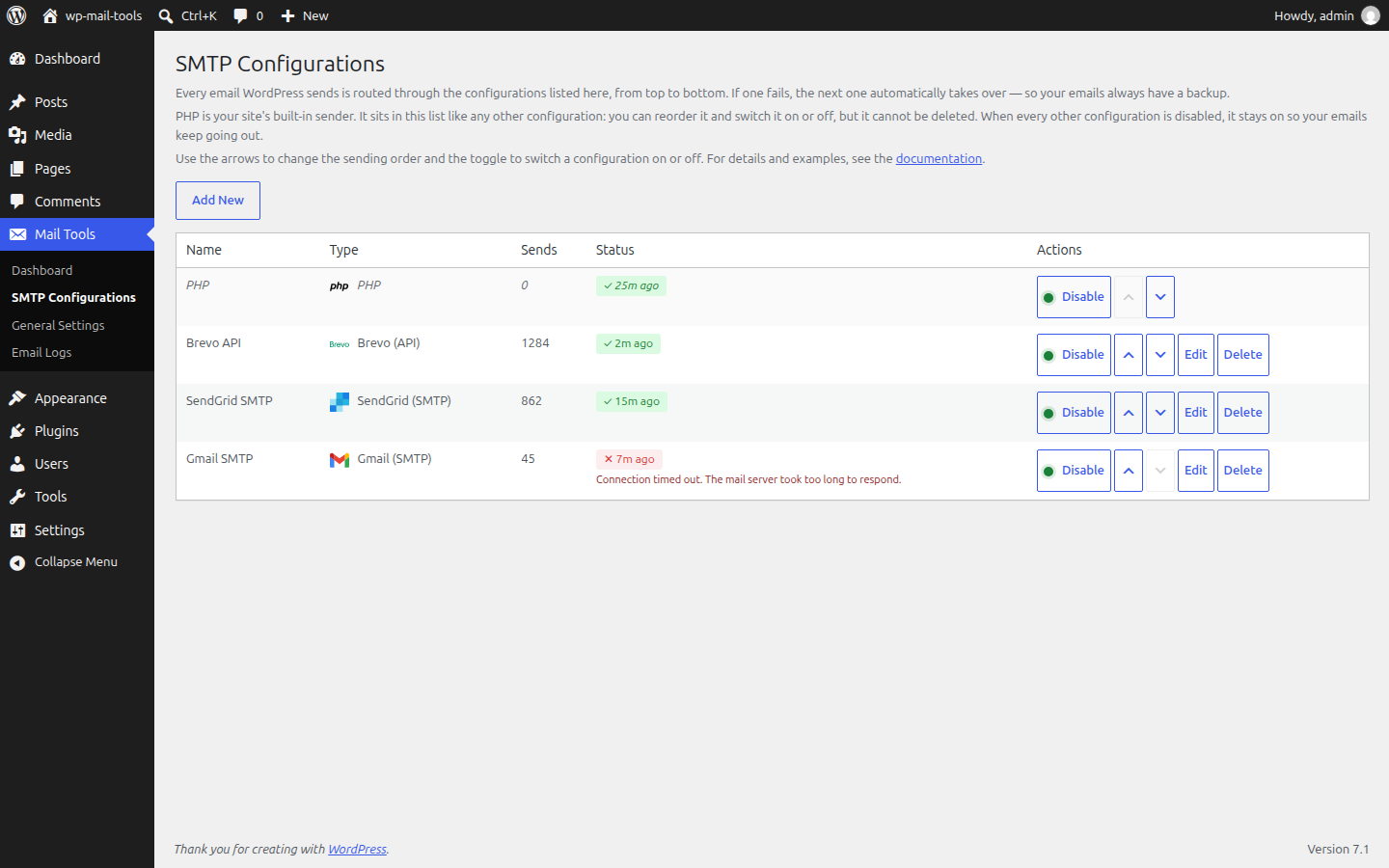
Add as many configurations as you like and order them as you need. The first one sends; if it fails, the next takes over. A built-in PHP mail() configuration ships with the plugin, and it is the suggested stand-in whenever nothing else is enabled.
If the primary ever fails, sending moves to the next entry in the chain, so your email still arrives.
Works with your providers
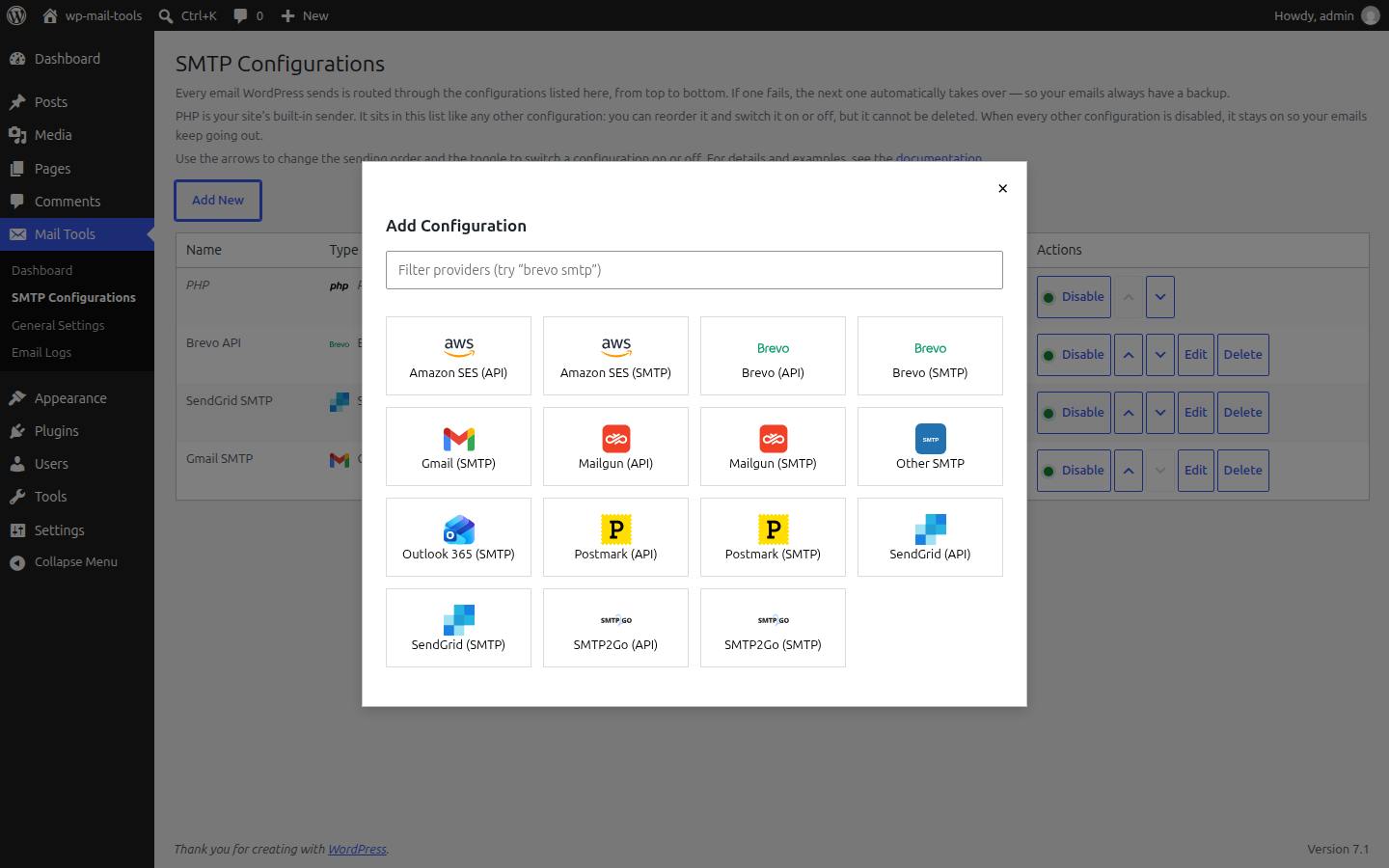
15 presets out of the box. Mix API and SMTP for the same provider if you like.
 Amazon SES API + SMTP
 Brevo API + SMTP
 Gmail SMTP
 Mailgun API + SMTP
 Outlook 365 SMTP
 Postmark API + SMTP
 SendGrid API + SMTP
 SMTP2Go API + SMTP
 Any SMTP server custom
 PHP mail() built-in
Every email, on the record
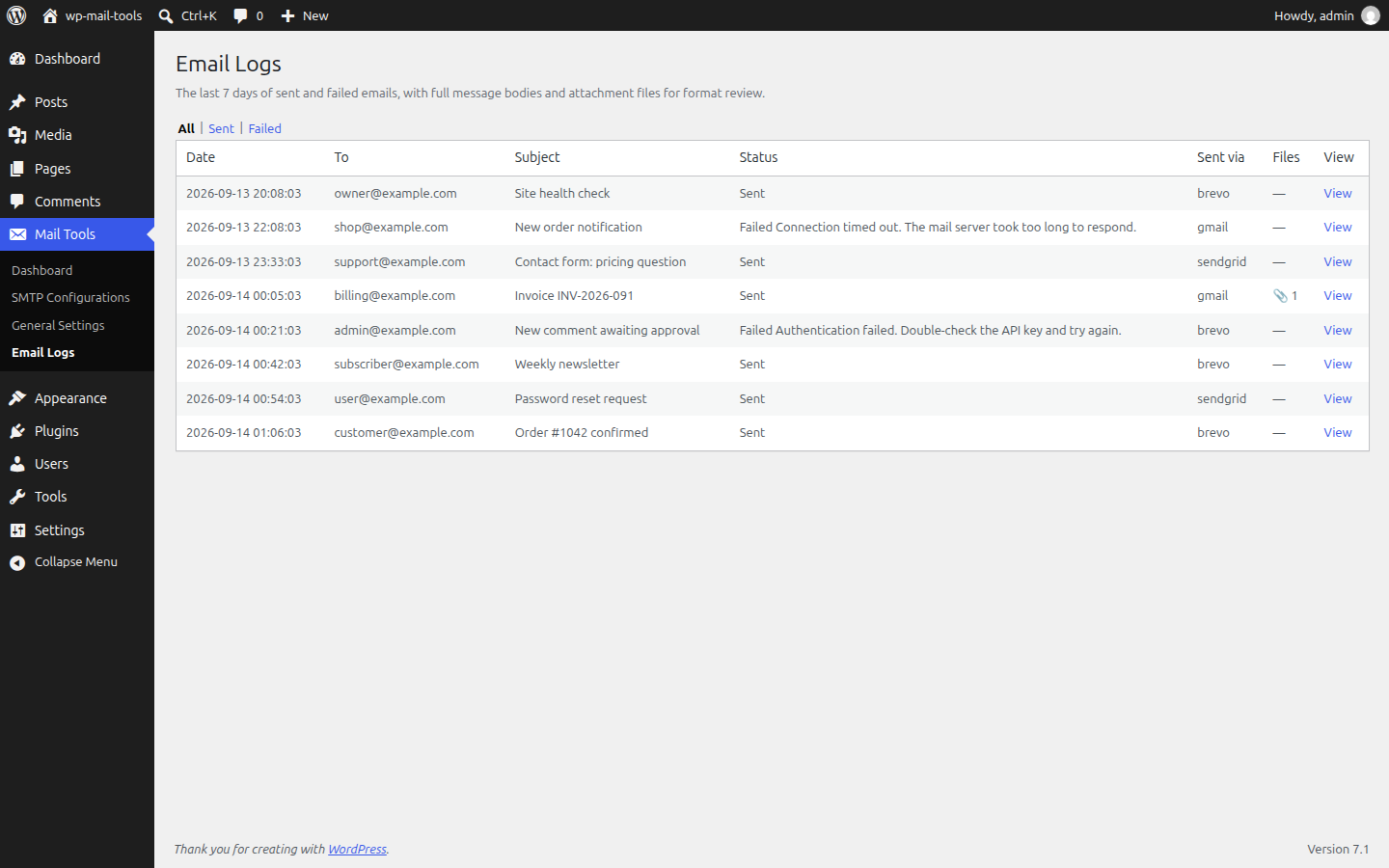
Each send is logged with status, recipient, subject, which provider handled it, and plain-English error messages. Open any entry to see the email rendered or as source, and download its attachments.
Retention is yours to set (1 to 30 days), and old entries (including files) auto-purge daily. No bloat, no surprises.
Live Test: know it delivers
Opt in, and the plugin periodically sends a tiny verification email through each of your configurations to a one-time address at email-cascade.kadimi.com. Each provider row shows a green or red badge, so you catch a dead provider before your customers do.
Live Test privacy disclosure
- What is sent: one short test email per enabled provider, to a random one-time address such as
a1b2c3d4e5f6g7h8@email-cascade.kadimi.com. The message contains no personal data. - What is stored: only the delivery status, byte size, and timestamp, kept for five minutes, then deleted. No email bodies are stored on the verifier.
- Who sees it: no accounts, no tracking, no cookies. The feature is off by default and you can disable it any time in settings.
- Self-hosting: the verifier URL is editable in settings, so you can point Live Test at your own infrastructure.
Take a look inside
The real admin screens: your delivery chain, the provider picker, and the email log.
Three steps, two minutes
Install
Search “Email Cascade” on the WordPress plugins screen, install, activate.
Add a provider
Pick from 15 presets, paste your credentials, and place it in the chain.
Relax
Send a test, watch the counters grow, and let the chain do its thing.
FAQ
What happens if my primary provider goes down?
The next enabled configuration in the chain takes over automatically. If every configuration fails, the send is logged with the provider's error message, so you can see exactly what went wrong.
Why is my email still not delivered?
Providers reject senders that are not validated. Validate your sender address (or the whole domain) with your provider. WordPress-generated emails use your site's administration address as the sender.
Can I have more than one provider configured?
Yes. That is the whole point. Add as many as you need, order them, and enable the ones you want in the chain.
Does it log emails?
Yes: status, recipient, provider, errors, full bodies and attachments, with a configurable retention period and daily auto-purge.